



Get Visibility Engine for your directory.
Put a rule on any widget or section of a page. Each rule checks a member field, a post field, a membership plan or sign-in status, and sets what that section does: show, hide, blur, lock or swap in a message of your own. You set it in a panel, with no code.
Built for owners of Brilliant Directories sites who want more sign-ups and paid upgrades from the traffic they already get.
Paid members see the whole profile
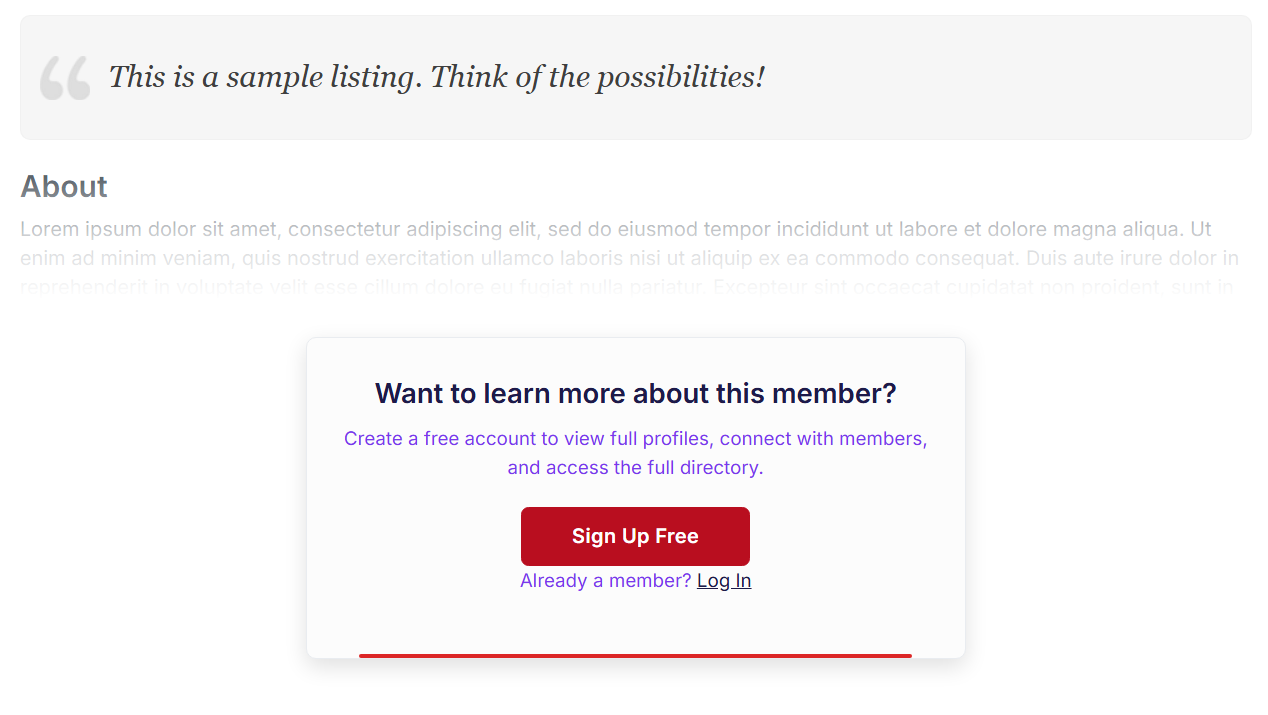
What a logged-out visitor sees on a member profile.
Cutoff and fade on the left, paywall on the right. A third mode keeps the profile visible and changes only the contact buttons.
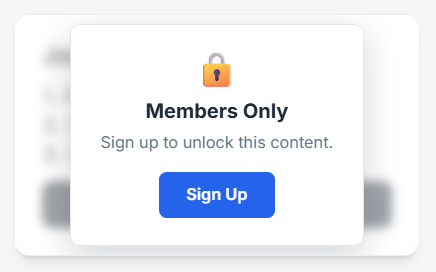
Each visitor gets the version of the page meant for them.
Each rule answers one question: who is looking, and what should they see right now?
Visitors see why to sign up
Show enough of each listing to prove the value, then ask for the sign-up at the moment they want more.
Paid plans feel paid for
Anyone on a paid plan sees the whole listing, and free accounts get a preview of what upgrading adds.
Contact details stay protected
Mask phone numbers, lock contact forms and turn header buttons into sign-up links for logged-out visitors.
Every page, every post type
Profiles, events, jobs, articles, your own custom post types and any widget on the site.
Rules that fit the moment
Match on plan, login, device, page, the site a visitor came from, the time of day or the day of the week.
Search engines still read it all
Your pages load in full first and the rules apply on top, so what search engines index stays the same.
Pick what each visitor gets on any part of a page.
Pick one per rule. Different visitors can get a different one on the same page. Click any of them to see it on a member's contact form.
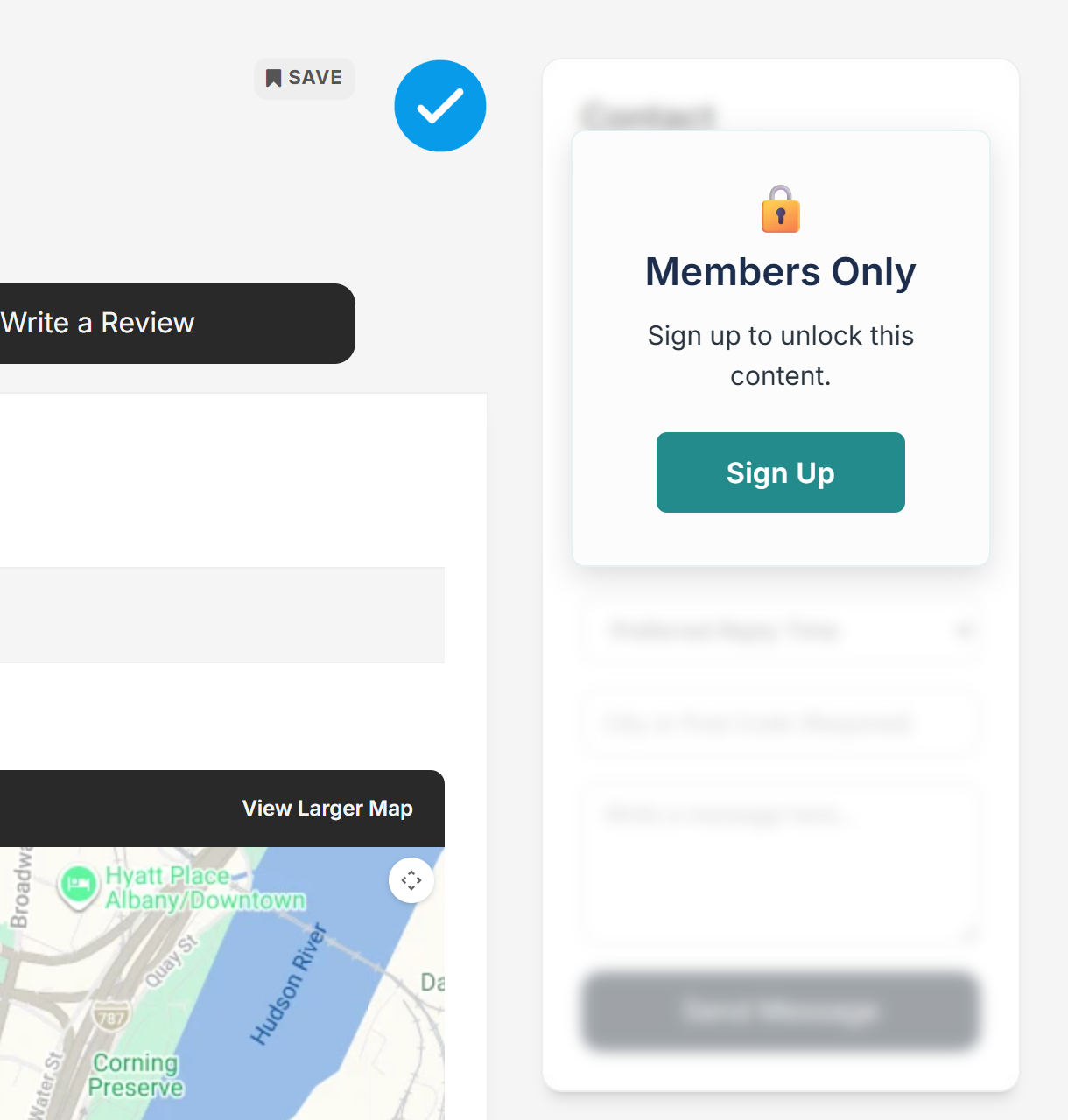
Locked profiles that still sell the upgrade.
On a site that runs our other plugins, Visibility Engine works inside them too.


A sign-up box that gets noticed
The sign-up box over a locked or cut-off profile can carry your Highlight effect. And when tabs are hidden from signed-out visitors, highlighted tabs such as Reviews stay in view next to Overview, so visitors see what joining unlocks.
Out of the box, Brilliant Directories locks the whole page.
Its members-only setting covers a page as a whole. A visitor sees all of it or none of it, and gets the same members-only message on every page, whether they need to log in, join or upgrade.
Visibility Engine puts a rule on each widget and each section. A rule checks a member or post field, a membership plan, sign-in status, device or time of day, then sets what happens to that one section: show it, hide it, blur, lock or dim it, replace it with your own message, or send the visitor to your login page. Every setup below runs on a directory today, with the steps to build it in your own panel.
A taste of each profile
Logged-out visitors read the first 250 characters of a member's About text. The rest fades out and your sign-up card appears with your heading, text and button. The message and phone buttons can read "Log in to message".
Build it
- In Profile Settings, switch on the member profile treatment.
- Set Mode to Cutoff & Fade, cut after the About section, and choose how many characters show.
- Write the card: heading, a line of text, the button and where it goes.
- Rename the header buttons and swap the phone number for a link, if you want.
- In the Design tab, set the card and button colors.
Events by membership level
Everyone sees the event title and the start of its description. A logged-out visitor is asked to create a free account to see the details and RSVP. A member on a lower plan sees an Upgrade button. A member the event is not meant for is pointed to resources that are.
Build it
- Add a field such as "Who is this for" to your event form, with choices like Everyone, Members and Premium.
- In Visibility Rules, choose Gate a post page, then Events.
- Add a rule group for each audience, for example "not signed in", or "plan is Basic and the event is Premium".
- For each group pick Cutoff, choose how many characters show, and write that group's card.
- Rename the RSVP and contact buttons to "Log in to RSVP", or hide them.
- Keep the most specific group at the top, since the panel uses the first group that matches.
Articles that ask to sign up
Logged-out visitors read the first 500 characters of an article and get a "Want to continue reading?" card. Articles marked for premium members ask lower plans to upgrade.
Build it
- In Visibility Rules, choose Gate a post page, then Articles.
- Group one: not signed in, verdict Cutoff, 500 characters, a "continue reading" card.
- Group two: plan is Basic and the article field says Premium, with an upgrade card.
Clicks that lead to your login page
A visitor who is not signed in clicks a video, a button or a link and lands on your login or join page.
Build it
- In Visibility Rules, choose Gate a post page and pick Videos, or Add widget rule for any widget.
- Set the condition to not signed in, and the verdict to Redirect with your login or join page.
One widget hidden from one plan
A widget such as a lead form or an offer stays on the page for everyone except members on the plan you pick.
Build it
- In Visibility Rules, choose Add widget rule and pick the widget.
- Set the condition to the plan you want to hide it from, and the verdict to Hide.
Paid listings open in full
Profiles of members on paid plans open in full, while free listings stop after a teaser with your sign-up card.
Build it
- In Profile Settings, set the main Mode to Cutoff & Fade.
- Open the plan settings for each paid plan and set its Mode to Buttons only.
- Any field you leave blank on a plan uses the main setting.
Run down your checklist.
The things buyers compare when they choose a membership or paywall plugin. DirectoryVisibility does all of these.
-
One widget or one sectionGate a single widget or a section of a page. The rest stays open.
-
Profiles, posts and search resultsRules work on member profiles, post pages and search result cards.
-
A teaser, then a sign-up cardShow the start of the content, then a card that asks visitors to join.
-
A full paywallLock a whole page or section until a visitor signs up or upgrades.
-
Contact details protectedHide phone numbers, emails and links from visitors who are not members.
-
Blur, lock, dim or replaceOr show, hide, gray out, label, or send visitors to another page.
-
Send them to your login pageA rule can send visitors to your sign-in or join page instead.
-
By membership planEach plan can see a different amount, so an upgrade shows more.
-
Signed in or notShow one thing to visitors and another to signed-in members.
-
Member and post fieldsBuild rules from any field on the member or the post.
-
Device, page and where they came fromMatch phones or desktops, page addresses and the site a visitor came from.
-
Time of day and day of weekOpen or close content on a schedule.
-
And / or groupsCombine conditions so a rule fires when all match, or any one does.
-
Labels and badgesMark content with a label such as Members only, and leave it in view.
-
Start from a ready-made rulePick a preset and change any part of it from the settings panel.
Visibility rules you run yourself.
Built for owners who want to change who sees what without paying for a new build each time.
Every new version, on every plan
Updates arrive on their own through DirectoryCustomize. Nothing to reinstall.
Kept working as BD changes
When Brilliant Directories updates its code, we update the plugin to match.
Any part of any page
Gate a single widget, a section, a post page, a search result or a member profile.
Blur, lock or replace it
Show, hide, blur, lock, dim, gray out, replace, label or send to your sign-up page.
Your own fields and plans
Build rules from membership plan, sign-in status, member and post fields, device and more.
A preview that sells the upgrade
Show the start of a profile, then a sign-up card, so visitors see what they are missing.
Set it up yourself
Start from a preset and change any rule from the settings panel. No developer needed.
Your design on the sign-up card
Start from a design preset, then set the card, text and button colors to match your site.
Help when something breaks
Technical issues with the plugin are covered for as long as you have it.
Monthly, yearly or a one-time fee.
Pick the way you would rather pay. All three get every new version.
Month to month
Monthly
$20
Per month, cancel any time
- Every feature and every new version.
- Stop whenever you like.
Two months free
RecommendedYearly
$200
Per year
- Every feature and every new version.
- $40 less than paying monthly.
Yours to keep
One-time
$640
Once, no renewal
- Every feature and every new version, for good.
- No bill after the first.
Technical issues with the plugin are covered on every plan. Other help and changes are billed at our normal rates.
One price covers the whole rule engine.
- Rules on any widget or section, on profiles, posts and search results.
- Every action built in: show, hide, blur, lock, dim, replace, label or send to your login page.
- Rules from member and post fields, plans, sign-in, device and time of day.
- Every new version, kept working as Brilliant Directories changes.
The short answers.
Do I need to write any code?
Will it hurt my search rankings?
Can paid members see different things than free members?
Does it work on events, jobs and articles?
Can I set it up without changing my live profiles?
What is the difference between the three plans?
Turn profile views into sign-ups.
Questions about setting it up? The help pages walk through every setting, or send us a message.